MyLabcorp
- 4.6
- Rating
- 1.00M
- Installs
- Free
- Price

 Analysis by App-foxy
When I need to keep track of a laboratory visit, the difficult part is often not the test itself. It is remembering where to find the result, arranging the next appointment, and dealing with a bill without searching through old messages. Labcorp | Patient brings those tasks into one medical app from Labcorp, and that focused purpose is its biggest strength. It is free to install, available to everyone, and designed for people who already use Labcorp services rather than for general health tracking.
My first impression is that this is a practical account-and-service app, not a replacement for a doctor, a symptom checker, or a complete personal health journal. That distinction matters. It can make administrative parts of laboratory care easier, but it does not turn a lab report into medical advice. I would recommend it to a Labcorp patient who wants a more organized way to handle results, appointments, and payments. I would be less enthusiastic about it for someone who rarely uses Labcorp or wants broad support for records from many different providers.
From installation to a useful first result
I find it useful to treat the first session as a small, deliberate test rather than trying to explore every part of a patient portal at once. I’ll focus on getting signed in and identifying the one task that matters today, then check what information or next step I need before leaving the app. That makes it easier to judge whether the setup is working for me and sets up a closer look at what to expect before beginning.
You May Also Like

 Blood Strike: 2.5 Anniversary
Blood Strike’s Loadouts Turn Every Drop Into a Tactical Gamble
A close look at Blood Strike’s custom loadouts: how fast access to signature weapons reshapes its battle royale rhythm, rewards preparation, and narrows the gap between fights.

 Pandora - Music & Podcasts
Pandora’s Music Is Easy to Start, but Harder to Recover
Pandora’s strength is its low-effort path from a seed to a station. Its weak spot is how much confidence it asks you to place in connection, setup, and quiet recovery.

 8 Ball Pool
8 Ball Pool Is Built on Rivalries, Rematches, and Routine
A close look at the rivalries, rematches, shared routines, and unanswered safety questions that turn a quick pool match into a persistent mobile community.

 Samsung Music
Samsung Music’s Quiet Strength Is Playing What You Already Own
Its reach comes less from spectacle than from dependable access to a personal library. That simplicity is both the app’s strongest retention engine and its ceiling.

 AccuWeather: Weather Radar
AccuWeather Review: A Quick, Clear Forecast for Everyday Decisions
For everyday plans, the best forecast is the one you can understand quickly. AccuWeather makes rain timing, radar, and local conditions easy to act on, with a few trade-offs.

 Hill Climb Racing
Why Hill Climb Racing Still Turns Crashes Into One More Run
A tiny car, a bumpy hill and one more upgrade: Hill Climb Racing keeps resurfacing because its simple chaos makes every near-miss feel personal.
More From Our News Desk



What to expect before you begin
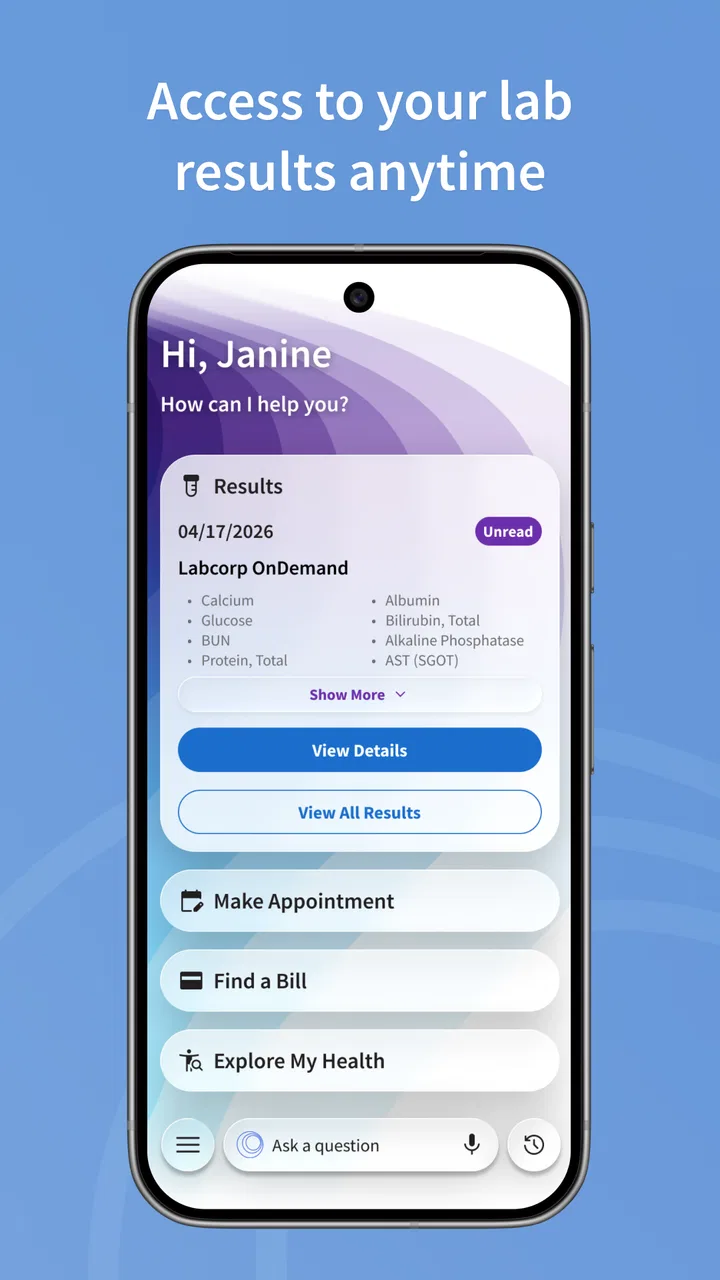
The app’s main promise is straightforward: receive lab results, schedule a laboratory appointment, and pay bills from one place. In everyday use, that means its value depends on your relationship with Labcorp. If you have a recent test, an upcoming visit, or an outstanding charge, the app has an immediate job to do. If none of those situations applies, there may be little reason to open it regularly.
Labcorp | Patient belongs in the medical category, and Labcorp is the developer behind it. It has been available since April 19, 2018, and the current version is 8.0.0. The app supports Android 7.0 and later, which makes it accessible on many older Android phones as well as newer devices. It is rated for Everyone, although the information you access is personal and should still be treated with the same care as any other health record.
The public response is mixed but substantial: the app holds an average rating of 3.5 from around 6 thousand ratings, with about 1.2 thousand written reviews, and it has passed 1 million installs. I read that as a sign that the app is useful for a large number of people while still leaving room for frustration. Medical apps are judged not only by appearance but by whether a result appears when expected, an appointment is saved correctly, or a payment goes through without unnecessary uncertainty.
Before installing, I would decide what success means for me. It might be seeing a newly released report, booking a visit for a routine test, or settling a bill. Choosing one concrete goal prevents the first session from becoming a vague tour of menus. It also gives you a simple way to tell whether the app is helping.
Setting up an account without making the process harder
For a first-time user, the best approach is to install the app when you have enough time to finish the account process calmly. Keep the personal information associated with your Labcorp care available, and use an email address or sign-in detail that you can access immediately. The practical reason is simple: account setup and patient matching are much easier when you are not switching between several old inboxes or guessing which details were used previously.
I would avoid creating several accounts just because the first screen does not immediately show a result. A missing result can be caused by timing, account matching, or the fact that the laboratory has not released it yet; starting over can make the situation more confusing. If you already have an established Labcorp account, use that identity rather than treating the mobile app as a completely separate service.
Once signed in, take a moment to check that the account looks like yours before doing anything else. This is especially important on a shared phone. Do not leave the app open where another person can read medical information, and do not save personal details in a place that someone else can easily access. The app is convenient precisely because it gathers sensitive tasks together, so convenience should be paired with ordinary phone security.
I also recommend setting a small expectation for the first session. Do not assume that installing the app automatically means every historical result, appointment, or balance will appear instantly. A patient portal reflects information connected to the account and the provider’s workflow. The useful test is whether you can reach the relevant section and understand what action is available, not whether the home screen contains every piece of your medical history.
Your first meaningful action: finding a result
For many people, the first successful action will be opening a laboratory result. I find it helpful to approach the result as a document to review, not as a diagnosis to interpret alone. Look for the test date, the name of the test, and the values or notes presented with it. If the wording is unfamiliar, resist the temptation to make a major health decision from one line on a screen. The app delivers information; your clinician provides the context.
A useful habit is to check the result after you have a quiet minute rather than opening it while distracted. If you are preparing for a medical conversation, note the questions that come to mind and bring them to the appropriate professional. This turns the portal into a preparation tool instead of encouraging a rushed reaction to numbers that may require history, symptoms, or repeat testing to understand.
Another non-obvious advantage is that the app can reduce the gap between “my test was done” and “I know where to look next.” Without a patient portal, people often depend on a phone call, a paper document, or a message they may later lose. With this app, I would use the result area as the first place to check, while remembering that availability is tied to the laboratory’s process rather than controlled entirely by the phone application.
If a result is not visible, I would first confirm that I am in the correct account and that the test was performed through the relevant Labcorp service. Then I would give the release process reasonable time and use the appropriate support route if the issue remains. The important trade-off is that the app makes access more convenient, but it cannot manufacture a result that has not been posted or correct an identity mismatch by itself.
Scheduling a visit with fewer surprises
The appointment function is most useful when you already know what kind of laboratory visit you need and have a few scheduling options in mind. Before opening it, I would write down any instructions I received, such as whether the visit is connected to a particular order or whether timing matters. The app can help you choose an appointment, but it cannot replace instructions from the clinician who requested the testing.
When selecting a time, I would check the location carefully and review the appointment details before considering the task finished. A booking is only helpful if it is at a convenient site and fits the preparation requirements. This is one of the places where a few extra seconds matter: an appointment that looks convenient on a calendar can become stressful if the location or timing does not match the order.
For a realistic example, imagine that I receive a request for routine blood work before a follow-up visit. Instead of calling during office hours, I can open the app, look for a suitable Labcorp location, choose a time, and then keep the appointment information available on my phone. The benefit is not dramatic technology; it is removing several small administrative steps from an already busy week.
Still, I would not use the scheduling screen as proof that every type of test can be handled in exactly the same way. Laboratory orders and preparation instructions can differ. If the appointment options do not make sense, or if the requested test is unclear, contacting the ordering office is safer than guessing. The app is a booking tool, not a substitute for knowing what was ordered.
Paying a bill and understanding the trade-off
Bill payment is the third major reason to keep the app installed. I like the idea of handling a medical charge from the same place used for results and appointments because it reduces the number of separate portals I need to remember. Before paying, I would compare the account details and amount with the paperwork or notice I received. That small check is worthwhile whenever a medical bill is involved.
This is also where I would be most careful about shared devices and saved payment information. A phone can be convenient, but it is still a physical object that may be borrowed, lost, or replaced. I would sign out when appropriate and avoid completing a payment while connected to an unfamiliar network. These are not special Labcorp tricks; they are sensible precautions for any app handling health and financial information.
The app is free, but that does not mean laboratory services or bills are free. The installation cost and the cost of care are separate things. This distinction is easy to overlook when an app presents payment as one of its features. I would treat the application as a way to manage an existing Labcorp transaction, not as a promise about insurance coverage, eligibility, or the final amount owed.
Common confusion during the first week
The most likely confusion is expecting the app to behave like a complete medical record. It is centered on Labcorp-related tasks, so it should not be treated as a universal container for every prescription, hospital visit, imaging report, or specialist note. If your main need is a single view across several healthcare organizations, a broader health-record service may suit you better, provided it supports the providers you use.
Another common misunderstanding is assuming that a visible result is automatically easy to interpret. Laboratory reports can include reference ranges, abbreviations, and values that mean different things depending on the person and the reason for testing. I would use the app to access the report and prepare questions, not to self-diagnose. If a result worries you, the right next step is professional guidance rather than repeatedly refreshing the screen.
Appointment availability can also create false expectations. The app may make booking more convenient, but convenience does not guarantee that the preferred location or time will be available. I would search with flexibility and confirm the final details. If the app presents an option that conflicts with written instructions, the instructions and the ordering healthcare team should guide the decision.
Payment screens deserve their own attention because a successful transaction and a clear understanding of the charge are different things. Keep any confirmation information that the app displays, and compare the payment with your records. If the balance appears wrong, do not make repeated payments simply because the first attempt feels uncertain; check the account status and seek clarification through the proper Labcorp channel.
Finally, people sometimes blame the app when the underlying issue is account access. If you change phones, forget sign-in details, or use an email address different from the one connected to your patient account, the experience can feel broken even when the service is working as designed. I would solve the identity problem first rather than repeatedly reinstalling the application.
How it compares with the usual alternatives
The traditional alternative is a phone call, a paper notice, or a browser-based patient portal. Calling can be better when the situation is unusual, urgent, or difficult to explain through a form. A conversation gives you a chance to ask about an unclear order, a billing discrepancy, or an appointment that does not fit your instructions. The trade-off is waiting and having to coordinate during business hours.
A web portal can be preferable on a larger screen, especially if you are reviewing several pages of laboratory information or printing records. The mobile app wins when I am away from a computer and need to check a result, arrange a visit, or deal with a bill quickly. Neither option is universally superior; the best choice depends on whether speed and portability matter more than screen space.
General health apps are different again. They may be better for tracking symptoms, exercise, medication reminders, or records from multiple organizations. Labcorp | Patient is more focused. That narrow scope is a weakness for someone seeking an all-purpose health dashboard, but it is a strength for a patient who wants Labcorp tasks in one recognizable place without unrelated wellness features.
I would also distinguish this app from messaging a clinician. A portal can show a report or help schedule a laboratory visit, while a clinical message is better for questions that require a professional response. If your real need is interpretation or treatment advice, choosing the app alone will not solve it. Use the app for access and administration, then use the appropriate medical channel for decisions.
Who should use it, and who should skip it
I think it is a good fit for people who regularly use Labcorp, prefer handling routine tasks from a phone, and want one place for results, appointments, and bills. It is particularly practical for someone managing several small steps around a test: checking whether a report is available, arranging the next visit, and keeping payment tasks from being forgotten.
It is less suitable for someone who does not use Labcorp, wants a comprehensive record from unrelated providers, or expects an app to explain medical results in plain language. It may also frustrate users who prefer speaking with a person whenever a billing or scheduling issue appears. In those cases, the app can still be a useful backup, but I would not make it the only way to manage care.
Families and caregivers should think carefully about account boundaries. The app is designed around patient access, and health information should not be casually mixed between people on one device. If you help another person, use only the access arrangement that is appropriate for that situation and avoid assuming that convenience gives you permission to view someone else’s records.
The next step after your first success
After I complete the first useful action, I would keep the app for the next predictable task rather than opening it out of habit. If I viewed a result, I would use it to prepare questions for my clinician. If I scheduled a visit, I would review the details before leaving home. If I paid a bill, I would retain the confirmation and check that the account reflects the payment later.
That workflow captures the app’s real value: it shortens the distance between a Labcorp task and the next practical step. It does not replace medical judgment, insurance explanations, or human support when something is unusual. It simply gives me a convenient starting point for the parts of laboratory care that are easy to postpone.
My overall view is positive but deliberately limited. Labcorp | Patient is not an all-in-one health solution, and its average rating of 3.5 reflects that a focused medical portal still has to get important details right. Even so, the free app is worth trying if Labcorp is part of your care and your goal is clear. For a first-time user, the best path is to sign in, complete one concrete task, verify the details, and use professional help whenever the information needs interpretation.
FAQs for MyLabcorp
01What features does the Labcorp | Patient app offer?
The Labcorp | Patient app provides users with convenient access to their lab results, appointment scheduling, and billing information. Users can also track their health metrics over time, find nearby Labcorp locations, and receive notifications about test results. The app aims to streamline healthcare management directly from your smartphone.
02Is the Labcorp | Patient app available on both Android and iOS devices?
Yes, the Labcorp | Patient app is available for download on both Android and iOS devices. You can find it on the Google Play Store for Android users and the Apple App Store for iOS users. Ensure your device meets the minimum system requirements for optimal performance.
03How secure is my personal and medical information on the Labcorp | Patient app?
Labcorp prioritizes user privacy and data security. The app employs robust encryption protocols and follows strict compliance with healthcare regulations, such as HIPAA, to protect your personal and medical information. Regular updates and security patches further ensure the safety of your data.
04Can I view my entire medical history on the Labcorp | Patient app?
While the Labcorp | Patient app provides access to lab results and some health metrics, it may not display your entire medical history. The app focuses on Labcorp-specific interactions. For comprehensive medical records, users should consult their healthcare provider or the medical facility managing their care.
05What should I do if I encounter issues using the Labcorp | Patient app?
If you experience any problems with the Labcorp | Patient app, you can contact their customer support for assistance. The app may also have a help or FAQ section to address common issues. Ensure your app is updated to the latest version, as updates often resolve known bugs and improve functionality.
Pros
- User-friendly interface for easy navigation.
- Secure login ensures data privacy.
- Quick access to test results.
- Appointment scheduling is straightforward.
- Integration with health apps available.
Cons
- Limited customer support options.
- Occasional login issues reported.
- Few customization settings.
- App notifications can be delayed.
- Requires stable internet connection.

MyLabcorp
Gallery